How to mount your iPhone on the production line: 3 ways that work

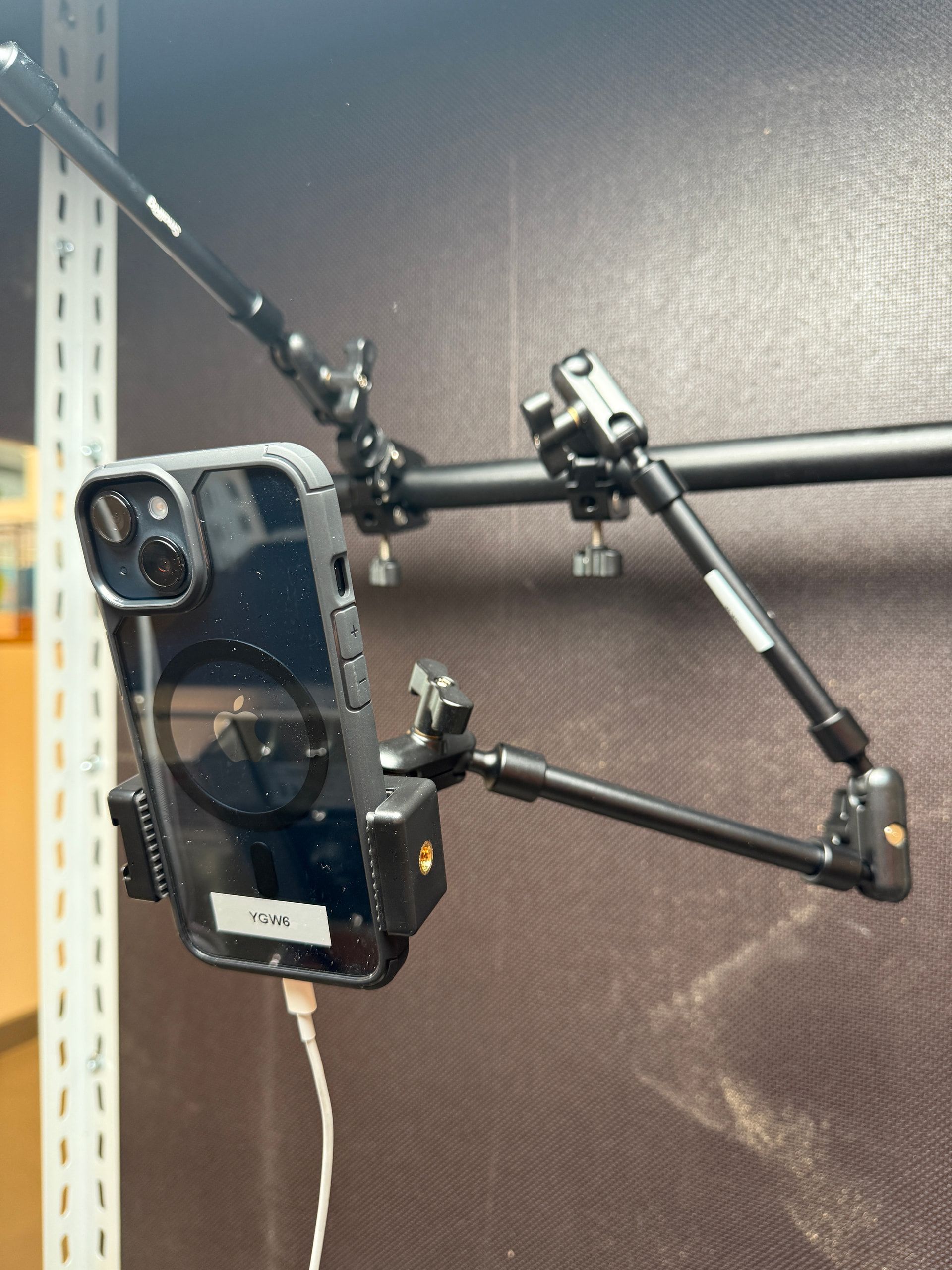
One of the first questions we get from new users is how to mount the iPhone. The good news is that it is simpler than most teams expect. Below are three options we have seen work well in the field, from the cheapest starter setup to the one we recommend for teams that swap iPhones between lines.
Why the mount matters more than you would think
On an AI visual inspection line, the iPhone needs to sit in the same position for every part it looks at. Repeatability is what keeps the model's results consistent. A shaky or drifting mount is one of the quietest reasons an inspection starts throwing false calls after a few weeks.
The right mount also depends on how often you need to remove the iPhone. A station you touch once a month is different from a station you move across five lines in a single shift.
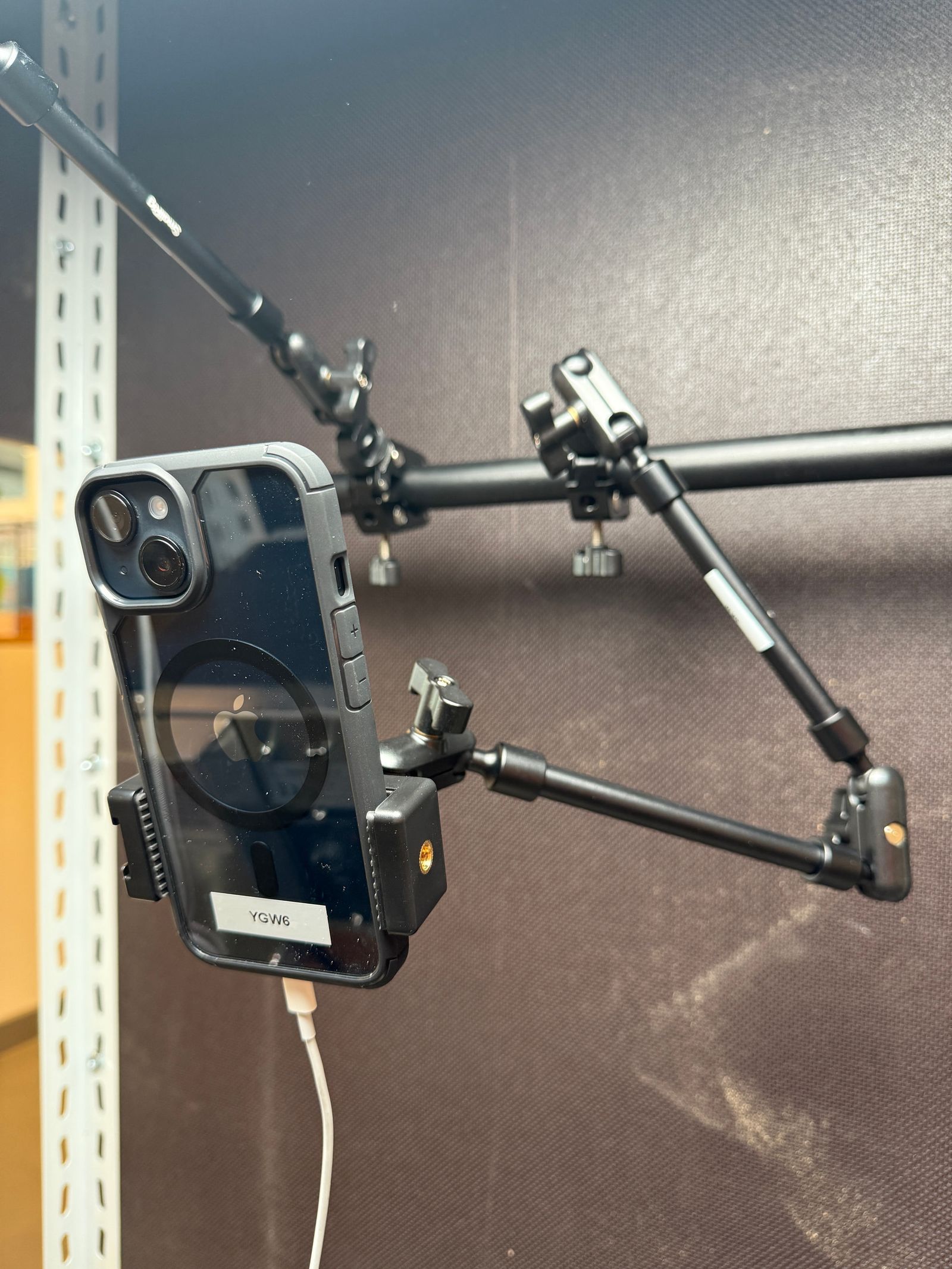
Option 1: Use a flexible clamp (around €40)
This is the easiest way to start. Get a flexible clamp, attach it to your line, clip in the iPhone. That is the whole setup.
We recommend the SMALLRIG 22-inch Magic Arm with Clamp. It costs around €40 and works out of the box. The clamp is adjustable, so you can find the right angle and position in minutes. Great for a first setup when you are still figuring out the best spot.
What surprised us: these clamps hold up really well over time. We have customers running them in production for months without issues.
Best for: getting started fast, finding your initial position, low-cost setups.
Option 2: Build your own mount
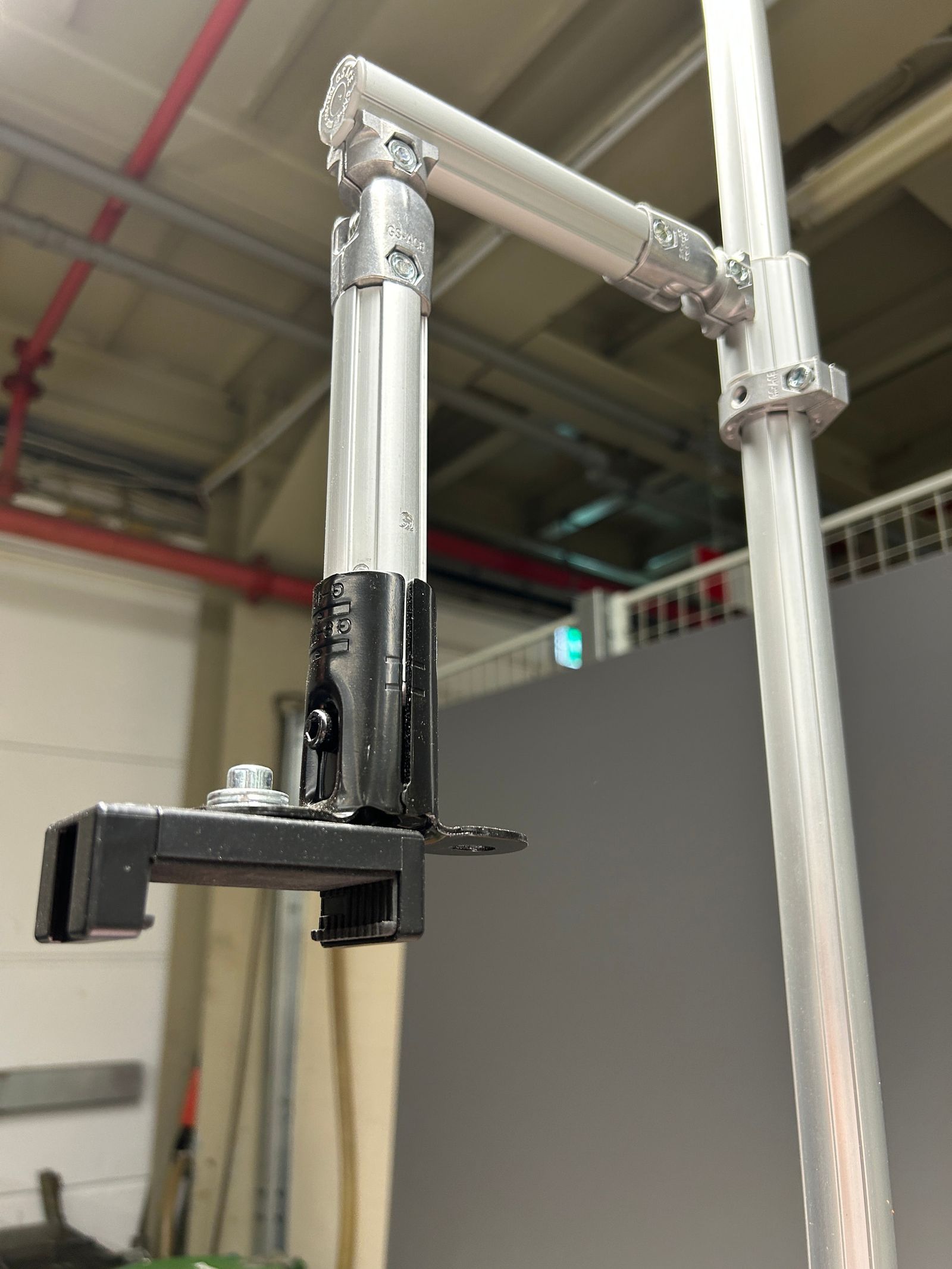
Many of our customers build something custom with what their maintenance team already has on hand. There is no wrong way to do this, and we have seen all kinds of creative solutions.
One popular approach is to take a Bosch aluminum profile and attach a standard phone holder on top. Simple, stable, and easy to adjust. The big advantage is that your maintenance team already knows how to work with these materials, so no special parts are needed.
Best for: teams that want a sturdier setup and are happy to use materials already in the shop.
Option 3: SP Connect (our recommendation for flexibility)
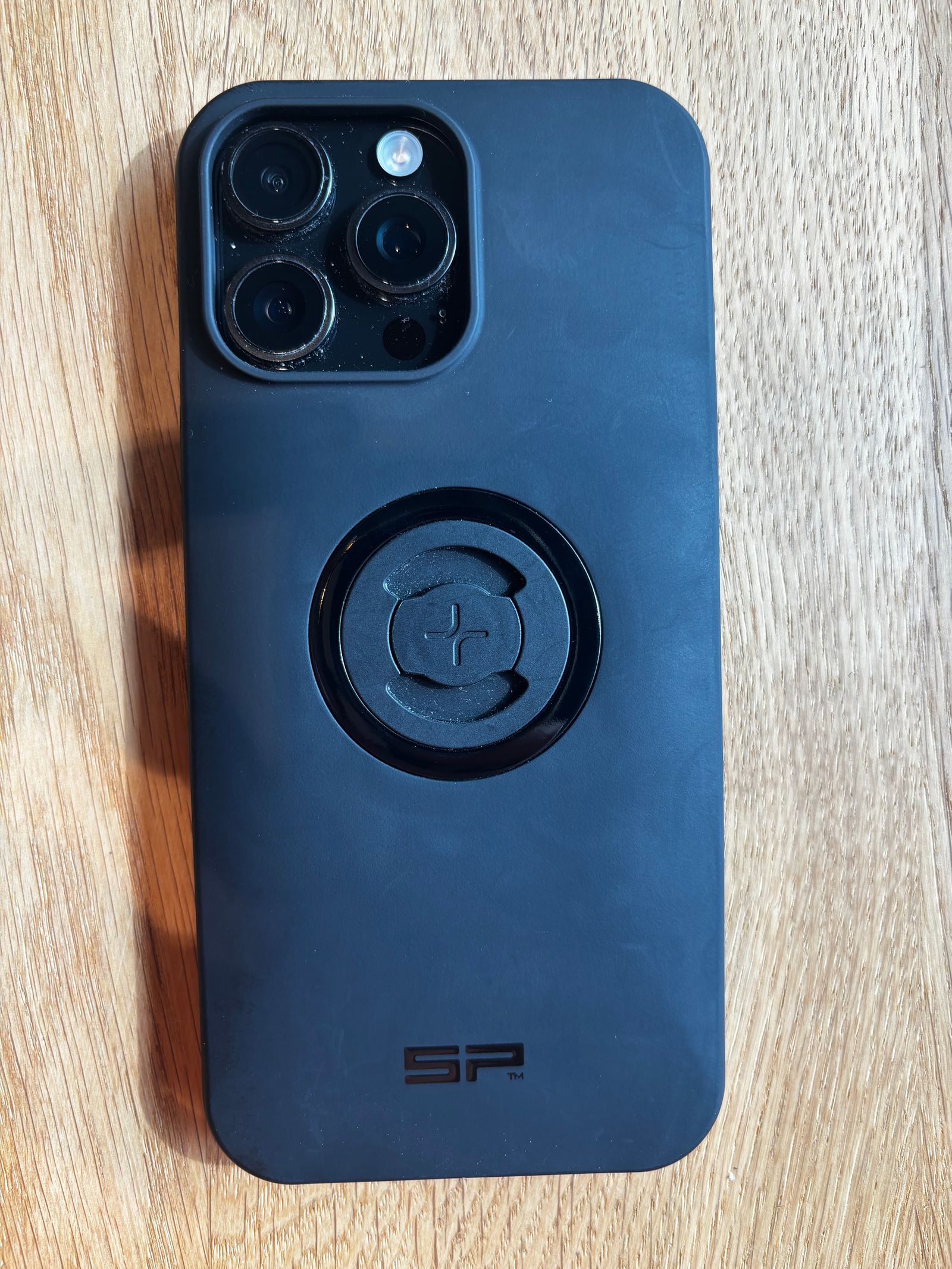
This one comes from the sports world. SP Connect makes mounts for attaching iPhones to mountain bikes and motorbikes. It also works well on a production line.
Here is how it works: you screw an SP Connect base onto your mount, for example onto a Bosch profile, and you click the iPhone in and out with a simple twist. No tools needed.
Why this matters: the iPhone always snaps back into the exact same position. There is no recalibration when you take it out and put it back.
This is a real step up if you want to share iPhones across multiple lines. Say you have ten lines but only five running at a time. Instead of buying a license for every line, you mount SP Connect bases on all ten and move your five iPhones to whichever lines are active that day. The Enao app's QR feature lets the iPhone reconnect to the right inspection site automatically when you dock it.
We use the SP Connect Micro Stem Bundle SPC+.
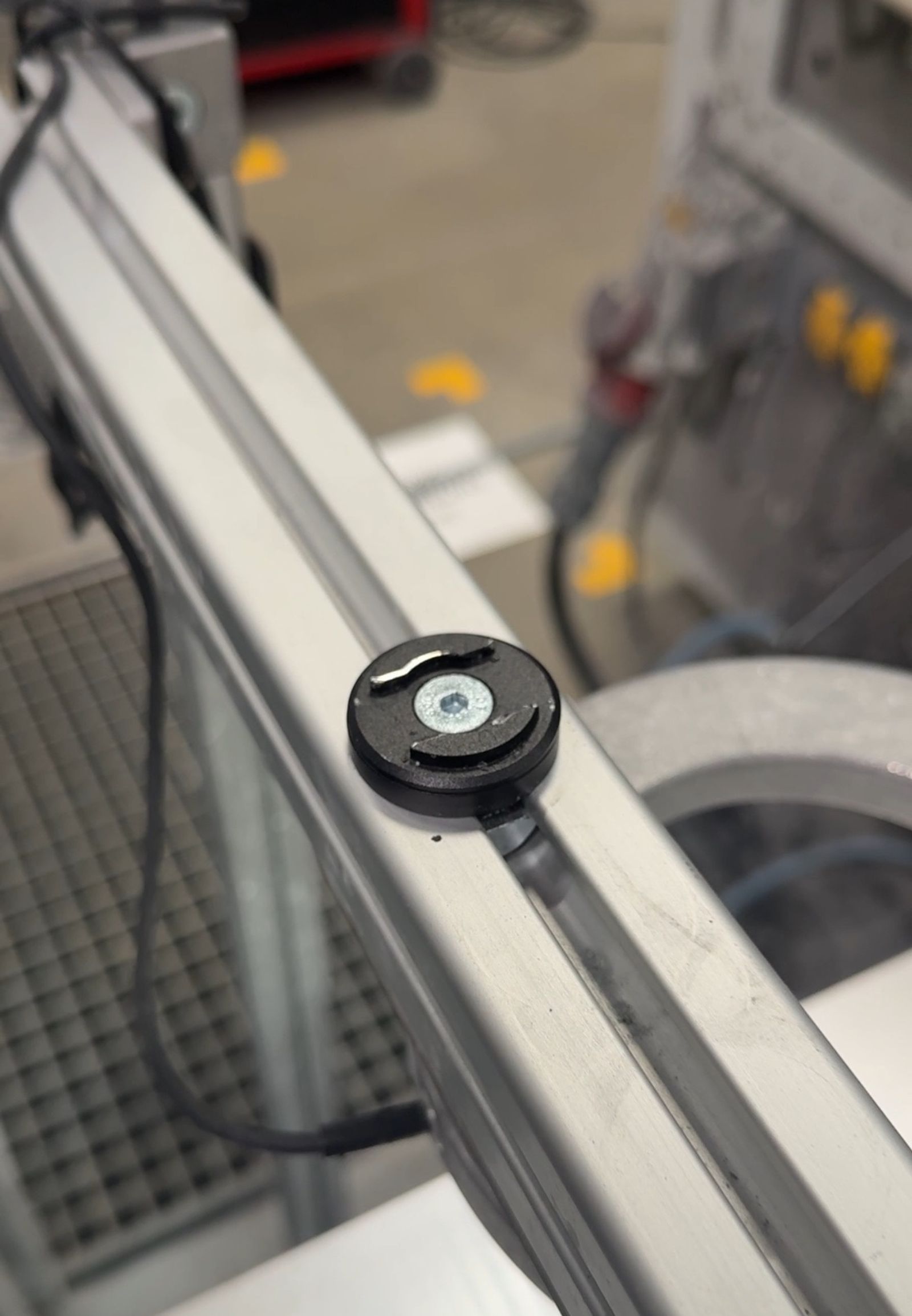
Best for: swapping iPhones between lines, stable and repeatable positioning, scaling without buying extra licenses.
Which one should I pick?
Just getting started? Go with the clamp. It is cheap, fast, and you can always upgrade later.
Want something sturdier with what you already have? Build your own from the parts your maintenance team already uses.
Need to move iPhones between lines? SP Connect. Worth the small extra investment.
A related note on setup
Mounting is only one part of a reliable setup. The other two are lighting and camera angle. We wrote up the lighting options in a separate practical lighting guide for AI visual inspection, and covered the common setup pitfalls in our post on why most AI-based visual inspections fail at setup. If you are just getting started with the iPhone as your inspection camera, our which iPhone should I use with Enao post covers the hardware picks.
Questions on any of the three options, or a custom setup you want feedback on? Drop a photo of your rig in our community Slack. We love seeing what teams come up with.
Explore with AI
Discuss this article with your favorite AI assistant
